


Allen-Bradley 2711P-T10C22D9P PanelView Plus 7 Performance HMI for Industrial Machine Visualization
A Practical Migration Plan for the Allen-Bradley 2711P-T10C22D9P PanelView Plus 7 Performance HMI
Replacing an operator terminal is rarely a simple screen-for-screen exchange. The Allen-Bradley 2711P-T10C22D9P combines a 10.4-inch touch display, 800 × 600 SVGA resolution, 24 VDC power, and embedded Ethernet with Device Level Ring capability. Those specifications make it a strong PanelView Plus 7 Performance option, but a successful project also depends on application software, controller communications, panel mechanics, firmware, and commissioning preparation.
The most reliable approach is to treat the change as a small automation migration project. Separating purchasing decisions from engineering work reduces the chance that a new terminal arrives before the application or cabinet is ready.
Capture the existing HMI before changing hardware
Begin with a verified backup of the current runtime and, where available, the editable development project. Record terminal catalog number, series, firmware, IP address, communication shortcuts, screen resolution, language files, user accounts, recipes, data logs, alarm history, and external storage use. Photograph the front and rear of the installed unit, cable labels, power wiring, and panel cutout.
Do not assume that a runtime copied from an older PanelView will execute unchanged. The FactoryTalk View ME version, firmware support, ActiveX objects, fonts, communication drivers, and custom files must be reviewed. If only a runtime file is available, confirm whether it can be restored to a development project and whether password protection or version restrictions apply.
Confirm the physical and electrical fit
The 2711P-T10C22D9P is a 10.4-inch touch terminal, but diagonal screen size does not define the cutout. Compare the current opening with the Rockwell Automation dimensional drawing. Some legacy migrations require an adapter plate. Check door strength, mounting depth, clamp access, gasket condition, cable clearance, viewing height, and heat dissipation inside the enclosure.
Use a regulated 24 VDC supply with adequate capacity and the grounding arrangement specified by Rockwell Automation. Review branch protection, disconnecting means, conductor size, and separation from AC, motor, and variable-frequency-drive wiring. If the existing terminal is AC powered, the migration requires a DC supply design rather than a simple connector change.
Design the Ethernet connection intentionally
The embedded switch and Device Level Ring capability support flexible machine-network designs, but both Ethernet ports should not be connected casually. Decide whether the terminal will be a single-port endpoint, part of a linear network, or a DLR participant. Document IP addressing, subnet, gateway, ring supervisor, switch configuration, and the controller path before installation.
Test the design with the plant cybersecurity policy. Disable services that are not required, control access to configuration functions, and protect project and backup files. A replacement HMI should not introduce an unmanaged bridge, duplicate IP address, or unintended route between machine and plant networks. Coordinate any remote-access requirement with the responsible controls and IT teams.
Convert and validate the operator application
Open the project in a supported FactoryTalk View Studio environment and resolve conversion messages before creating the runtime. Review every display at 800 × 600 resolution. Check fonts, buttons, numeric-entry objects, alarm banners, trends, recipes, security roles, navigation, and diagnostic screens. Touch targets should be large enough for safe operation and should not rely only on color to communicate machine state.
Connect the migrated application to a test controller or controlled machine environment. Verify tags, data types, communication shortcuts, alarm triggers, acknowledgements, recipe limits, and user permissions. Simulate communication loss, controller restart, HMI restart, and power interruption. The terminal should recover predictably without leaving the operator uncertain about the real machine state.
Plan commissioning and rollback
Schedule the change with enough time to restore the original hardware if a critical issue is found. Keep the old terminal, its backup, required cables, and mounting hardware available until the new installation has passed operational testing. After energization, inspect the display, calibrate touch if required, verify network status, open every production screen, test alarms, and confirm that operators can complete normal and abnormal procedures.
Record the new terminal’s catalog number, series, serial number, firmware, IP address, runtime filename, software version, and backup location. Store a tested recovery copy outside the terminal. Operator and maintenance training should cover any changed navigation, login process, alarm behavior, or data-entry limits.
Important image and ordering clarification
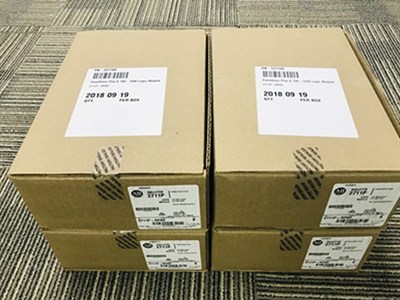
The photograph associated with this news item shows cartons labelled for an Allen-Bradley 2711P-RP8D component, not a visible complete 2711P-T10C22D9P terminal. It is retained as the customer-supplied inventory reference and should not be used for exact-model identification. Purchasing and receiving teams must verify the 2711P-T10C22D9P nameplate, series, front display, rear connector layout, firmware compatibility, certifications, and supplied accessories before approving the HMI for installation.
