


Choosing RMCN22BD Harmony Analog isolated converter for an installed system
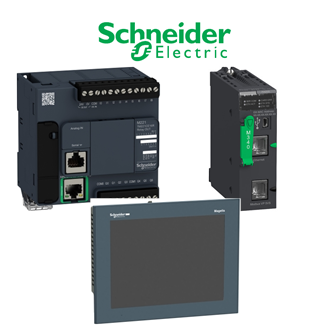
Use the full RMCN22BD designation when discussing this Harmony Analog isolated converter with a supplier or engineer. The Schneider category main image is a shared reference collage, not an exact photo of RMCN22BD. The table records limited confirmed facts; the site-specific decision requires the current product document and installed-system information.
Verified technical reference
| Technical item | Verified value / selection note |
|---|---|
| Complete model | RMCN22BD |
| Product identity | Harmony Analog isolated converter |
| Signal choices | 0 to 10 V or 4 to 20 mA |
| Output choices | 0 to 10 V or 4 to 20 mA |
| Function | Isolated analog conversion |
Where the item fits
The selection question for RMCN22BD is not simply whether the code looks familiar. Identify its actual role as Harmony Analog isolated converter, the equipment it connects to, and the site operating conditions. Confirm selected input/output range and wiring. Record any missing interface value as a question to verify rather than filling it from a neighboring model.
Keep RMCN22BD in the equipment schedule with the intended host, panel or circuit. A shared product picture can show the general category, but it cannot verify terminal layout, voltage, current, firmware or mechanical dimensions of the delivered RMCN22BD.
Mating and integration checks
Before ordering RMCN22BD, compare electrical supply, protection, signals or communication settings where relevant. Confirm mechanical installation, mating connector and accessory dependencies. If an engineering drawing refers to another code, obtain an approved cross-reference before substituting RMCN22BD.
For maintenance replacement, capture the original nameplate and any revision label. Compare the complete string with RMCN22BD; a changed suffix can alter a component's function. Review thermal, environmental and safety limits with the manufacturer's exact documentation, not with a general family image.
Quotation and receiving controls
Ask for an offer naming RMCN22BD exactly, with quantity, destination, lead time and current data sheet. Clarify whether a cable, fuse, mounting part, software or other accessory is included. If RMCN22BD is discontinued, ask for a documented alternative and evaluate its differences before purchase.
When RMCN22BD arrives, inspect package condition and label. Confirm that the full marking matches the approved order, photograph it and record the supplier's reference. Quarantine a unit labelled differently from RMCN22BD until the substitution has been reviewed.
Installation and acceptance
Install RMCN22BD under the applicable safe-isolation and manufacturer's instructions. Record relevant setting values, wiring, mounting and connected equipment. A functional test should demonstrate the intended role of RMCN22BD without relying on code appearance alone.
Retain the final RMCN22BD designation, the tested configuration and the location in the maintenance record. This allows a later buyer to distinguish the installed item from a similar-looking spare. Any change from RMCN22BD should remain traceable to engineering approval.
Look-alike catalogue references
No additional unassigned RMCN-pattern code is indexed under RMCN22BD. Any proposed alternate still requires its own identity and fit check.
Selection conclusion
Approve RMCN22BD only when the verified product facts, installation interface and quotation agree. Keep the complete RMCN22BD phrase in the purchase order and acceptance record; do not treat a near-looking designation as interchangeable without manufacturer and engineering evidence.
