


Field review of Schneider Electric H365AWK heavy-duty fusible safety switch
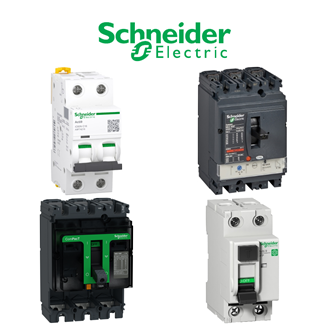
The full designation H365AWK identifies the requested heavy-duty fusible safety switch. This record separates confirmed catalogue information from project-specific checks. The shared Schneider category image is a reference collage, not a photograph of the exact H365AWK variant.
Technical parameters and identity
| Technical item | Verified value / selection note |
|---|---|
| Complete model | H365AWK |
| Product identity | heavy-duty fusible safety switch |
| Current class | 400 A |
| Poles | 3 |
| System | Three-wire |
| Voltage class | 600 V AC/DC |
| Enclosure | NEMA 12 listing |
Interface review
Start the H365AWK review at the interface it connects to: the host assembly, electrical supply, mating device or mechanical opening. Verify fuse class, site short-circuit rating and enclosure duty. Do not infer the missing interface details from a short code or the category image.
For H365AWK, record the existing installed marking and the intended location. Compare the full manufacturer's designation, mounting method, terminals, ratings and applicable standards. A visually similar code may differ in an option that changes the installation decision.
Documentation requested with a quotation
Ask the supplier to quote exactly H365AWK and provide the current manufacturer data sheet, installation instructions and any relevant dimensional drawing. State the destination country and quantity. If H365AWK is discontinued or regional, ask for availability and a documented alternative rather than assuming stock.
For a proposed replacement of H365AWK, require a written cross-reference. Compare every affected rating and interface with the original engineering requirement before substituting. The presence of another number in the same visual family is not evidence of equivalence.
Installation and commissioning record
Before installing H365AWK, check the delivered label, package condition and included accessories against the approved order. Keep a photo of the marking, the wiring or assembly diagram, and the equipment tag. Follow the product instructions for safe isolation and torque or mounting requirements.
After fitting H365AWK, document the relevant functional test: operation, indication, protective coordination, communication or mechanical movement as applicable. Record any difference between the planned H365AWK and the actual supplied designation.
Visually similar catalogue codes
No remaining unassigned H365-pattern designation is grouped with H365AWK. Similar appearance alone should never replace a technical comparison.
Buyer decision
Approve H365AWK only after the confirmed parameters above and the project-specific interface checks are reconciled. In particular, identify the supply, protection, mounting and mating accessories that apply to H365AWK; not all of these can be inferred from the designation alone.
Keep the final approved H365AWK designation on the procurement and receiving documents. If an alternative arrives, quarantine the change for engineering review before it is installed or energized.
Additional visually similar model designations
These printed codes resemble H365AWK and are collected here for search only. A different code can specify a different function, rating or accessory. This is not a technical equivalence or interchangeability statement. Verify every full designation before ordering.
- H367AWK
