


Schneider 990NAA26320 Unity processor PC terminal cord: from selection to commissioning
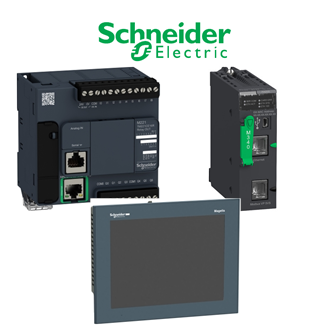
This page records the full designation 990NAA26320 for procurement and maintenance. The category main image is reused as a reference illustration and may not depict the exact 990NAA26320 unit. Use the technical items below with the current manufacturer documentation and the actual site design.
Technical data at a glance
| Technical item | Verified value / selection note |
|---|---|
| Complete designation | 990NAA26320 |
| Product identity | Unity processor PC terminal cord |
| Component | Connection cord set |
| Host | Unity processor PC terminal |
| Length | 3.7 m |
5. Install and verify
Follow the safe-isolation and installation instructions applicable to 990NAA26320. Verify wiring, mounting, configuration and protective settings against the project design. Record the functional or commissioning test and the final installed 990NAA26320 identifier.
1. Define the installed duty
Before selecting 990NAA26320, identify the equipment tag, supply, load and operating conditions. The intended role is Unity processor PC terminal cord. Match the engineering workstation and processor port. Record any environmental or safety requirement that will affect the final specification of 990NAA26320.
2. Check the technical interface
Compare 990NAA26320 against the host equipment, mounting dimensions, terminals and necessary accessories. Check electrical ratings and interface protocols where they apply. A similar-looking code can change a critical attribute, so the full 990NAA26320 designation must remain on the review sheet.
3. Request and assess a quotation
Ask the supplier to quote 990NAA26320 exactly, with quantity, destination and current manufacturer documents. Confirm whether the offer includes every needed accessory. If 990NAA26320 is unavailable, demand a written replacement proposal and review every affected parameter before approving it.
4. Receive and inspect
When 990NAA26320 arrives, compare the nameplate or package label to the approved order. Photograph the marking, inspect physical condition and account for supplied parts. Do not place an item marked differently from 990NAA26320 into service without an approved substitution record.
Why the complete code matters
The confirmed details in the table are deliberately limited to information supported by manufacturer material for 990NAA26320. Additional values may depend on a suffix, revision, regional approval or mating component. Before ordering or energising 990NAA26320, verify any unsupplied value in the current exact-product document.
Keep 990NAA26320 visible in the bill of materials, quotation and maintenance log. This reduces the chance that a near-looking part is selected by appearance alone. The shared image on this page does not establish the physical identity or ratings of 990NAA26320.
Similar-looking designations indexed here
There is no additional unassigned 990NAA-pattern designation grouped with 990NAA26320 in this catalogue. Any proposed alternate remains subject to its own technical review.
Close-out record
After acceptance, retain the final 990NAA26320 designation, the approved data sheet, supplier details and commissioning result. If the installed part differs from 990NAA26320, document the engineering approval and update the maintenance record.
