


ZB2BE101 field checks for procurement and maintenance
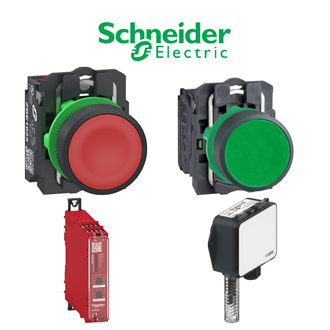
ZB2BE101 is the complete Schneider Electric reference used here for Harmony 22 mm add-on contact block. The shared 330 × 330 category main image is a reference collage, not an exact photograph of every ZB2BE101 option. Read the verified ZB2BE101 data before using the code in a bill of materials.
Technical parameters and identity
| Technical item | Verified value / selection note |
|---|---|
| Complete model | ZB2BE101 |
| Verified identity | Harmony 22 mm add-on contact block |
| Contact | 1 normally open |
| Terminals | Screw clamp |
| Operator | Spring-return pushbutton use |
Installation-to-handover sequence
Before ordering: Record the full ZB2BE101 designation, duty, supply and connector requirements.
On receipt: Compare the delivered ZB2BE101 nameplate with the order and inspect its terminals and accessories.
Before energising: Confirm isolation, wiring, settings and the approved ZB2BE101 application drawing.
At handover: Keep the ZB2BE101 functional-test result and configuration record with the equipment file.
Critical fit decision
For ZB2BE101: Check legacy operator compatibility rather than assuming XB4/XB5 interchange. A nearby-looking code may change an electrical or mechanical detail; verify it separately.
Site interface and commissioning
Before installing ZB2BE101, compare supply and signal levels, mounting space, environmental conditions and mating components with the approved design. Preserve any existing parameter file or wiring map so that the ZB2BE101 installation can be checked against a baseline.
After fitting ZB2BE101, test the actual device function in its intended circuit and record any changed setting. A visually similar designation is not evidence of drop-in compatibility with ZB2BE101; the approved drawing and manufacturer instructions control the decision.
Visible-code family index
The following 3 designations resemble the visible ZB2BE pattern of ZB2BE101. They are listed under this representative page rather than receiving separate pages. Differences in contacts, range, supply, construction or approvals must still be checked for each designation.
Acceptance record
Retain the ordered ZB2BE101 code, the delivered label, the selected settings, and a short site-test note. This makes future repeat orders of ZB2BE101 traceable and helps maintenance staff separate ZB2BE101 from close-looking variants.
Additional Schneider ZB2B visually similar model codes
These ordering strings are grouped because their printed model codes look similar. They may represent different product types, functions, ratings, accessories or approvals. This list is not an interchangeability claim; verify the exact manufacturer data before ordering.
- ZB2BA3C
- ZB2BA4C
- ZB2BA6C
- ZB2BJ2C
- ZB2BJ5
- ZB2BS54C
- ZB2BS844
- ZB2BWB31C
- ZB2BY2002
- ZB2BY4909
- ZB2BY9330
- ZB2BY9330C
- ZB2BZ101C
- ZB2BZ102C
- ZB2BZ103C
- ZB2BZ21C
Additional Schneider ZB2 visually similar model codes
These ordering strings are grouped because their printed model codes look similar. They may represent different product types, functions, ratings, accessories or approvals. This list is not an interchangeability claim; verify the exact manufacturer data before ordering.
- ZB2-BE101
- ZB2-BE101C
- ZB2-BE102C
- ZB2-BV06
