


Schneider XUX0ARCTT16 multi-mode photoelectric sensor: installation record and order identity
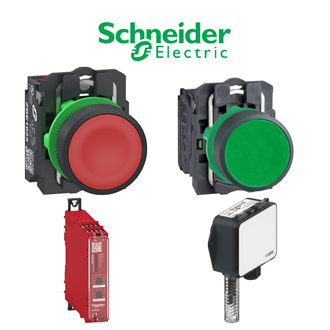
Use XUX0ARCTT16 as the exact identifier when requesting this multi-mode photoelectric sensor. The category image is a shared reference illustration, not an exact photograph of the particular XUX0ARCTT16 variant. The nameplate and current manufacturer documentation govern the installed item.
Technical identification
| Technical item | Verified value / selection note |
|---|---|
| Exact requested code | XUX0ARCTT16 |
| Product identity | multi-mode photoelectric sensor |
| Sensor family | OsiSense XU / XUX |
| Supply | 24 to 240 V AC/DC family listing |
| Connection | Terminal wiring |
| Optical arrangement | Reflector or through-beam transmitter ordered separately as applicable |
Order and receiving check
State XUX0ARCTT16 in the enquiry and purchase line, together with quantity, destination and required documents. When XUX0ARCTT16 arrives, compare its printed code, packaging, accessories and revision with the approved order. Do not accept a neighboring suffix as equivalent without an engineering review.
Commissioning checkpoint
Install XUX0ARCTT16 only after the applicable isolation and safety procedure. Verify mounting, terminals, electrical supply or signal levels, and functional response relevant to multi-mode photoelectric sensor. Record test results and the as-fitted designation XUX0ARCTT16 for later maintenance.
Before removal
For an installed XUX0ARCTT16, record the panel location, connected circuit, terminal labels and the operating state. Photograph the XUX0ARCTT16 nameplate and assembly before disconnecting anything. Choose the optical accessory and confirm sensing mode before installation. A physically similar device may use a different rating or contact arrangement.
Configuration notes
The reference XUX0ARCTT16 should remain attached to drawings, settings and service records. If XUX0ARCTT16 is part of a larger starter, switch, sensor or UPS assembly, check every host component and accessory as well as this individual code. A catalogue family name alone does not identify a fully configured assembly.
For a replacement request, compare the existing XUX0ARCTT16 against the offered XUX0ARCTT16 documentation: dimensions, electrical duty, interface and regional certification can all matter. Record any approved variation explicitly so the next technician does not treat visual resemblance as evidence of interchangeability.
Visually similar model references
These 5 additional codes have a visible XUX pattern and are indexed with the representative XUX0ARCTT16 page for search convenience. They are not automatically the same product or an approved substitute for XUX0ARCTT16; verify each complete designation, function and rating independently.
Handover record
Retain the quotation, approval, installation test and final XUX0ARCTT16 nameplate record. When the next service cycle starts, specify XUX0ARCTT16 in full and review the real duty before ordering. The shared image does not replace a technical review of XUX0ARCTT16.
