


Schneider UNYSPUSFTV1X: what to verify for the Unity Pro Small software pack
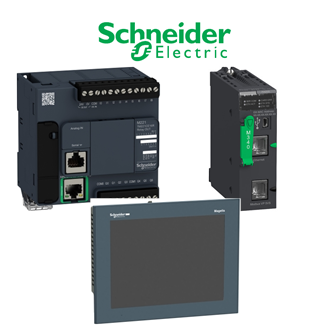
UNYSPUSFTV1X identifies this Unity Pro Small software pack enquiry. A shared category collage is used as a reference image, not as an exact photograph of the supplied UNYSPUSFTV1X item. Before choosing or replacing UNYSPUSFTV1X, read the complete physical label and compare it with the system drawings and the relevant manufacturer material.
Technical data confirmed at this stage
| Technical item | Verified value / selection note |
|---|---|
| Complete enquiry wording | UNYSPUSFTV1X |
| Documented family or role | Unity Pro Small software pack |
| License pack | Ten users in Schneider listing |
| Lifecycle | Legacy software; confirm license-transfer rights and support |
| Unverified option details | Confirm complete order record and received unit |
A family name or shared code prefix does not establish identical ratings, fit or interchangeability.
The table records the evidence available for UNYSPUSFTV1X. An absent value is deliberately left open. For UNYSPUSFTV1X, the complete configuration may determine the coil, firmware, process interface, mounting arrangement or protection rating; use the installed UNYSPUSFTV1X label and full datasheet before approving a purchase.
What to send with a purchase enquiry
- Full nameplate photograph and exact designation
- Equipment drawing, location and installed revision
- Required accessories, connectors, cables and condition
- Acceptance test and delivery requirements
Put UNYSPUSFTV1X on a separate quotation line and ask the seller to restate the full code. If a different version is proposed for UNYSPUSFTV1X, request a written matrix comparing ratings, electrical connections, mechanical fit and software or firmware requirements. The buyer should not accept the substitution merely because it belongs to the same family.
Equipment interface review
Review the immediate neighbours of UNYSPUSFTV1X in the installation. For a breaker or contactor, check pole arrangement, control supply and auxiliary contacts. For a controller or I/O accessory, check rack, baseplate, network and terminal assignment. For a motor or sensor, check feedback, power, cable and mounting. Apply only the categories relevant to the actual UNYSPUSFTV1X item.
Compare UNYSPUSFTV1X against the archived wiring and service record. Record any changes in version, communications, calibration or safety approval. A replacement order for UNYSPUSFTV1X should identify who will verify those changes and what evidence is required at receiving and commissioning.
Receiving and acceptance
On receipt, inspect the packaging and the actual UNYSPUSFTV1X marking before installation. Keep serial and revision information in the equipment file. Use the site's electrical and process isolation procedure, then test the specific switching, protection, control, measurement or motion function appropriate to UNYSPUSFTV1X. Record the result rather than relying on a visual match alone.
If UNYSPUSFTV1X is a legacy item, separately check lifecycle status, condition, warranty and availability of support. If UNYSPUSFTV1X is offered as refurbished stock, require inspection and test records. If a newer item is offered instead, keep its new designation distinct from UNYSPUSFTV1X in the approval chain.
Related-looking designations
No further unassigned UNY-pattern code is indexed with UNYSPUSFTV1X; any alternative still needs manufacturer and site verification.
Release check
Release UNYSPUSFTV1X only after the complete identification, applicable technical requirements, offer and receiving plan agree. Keep UNYSPUSFTV1X visible in the final procurement record and document every approved deviation.
