


Schneider QR450: identification and installation checks for Trio licensed telemetry data radio
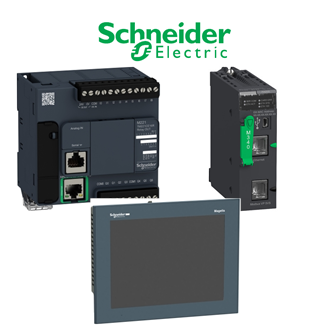
Use QR450 as the exact enquiry key when comparing this Trio licensed telemetry data radio. The category image is a shared reference collage, not a photograph of the specific QR450 item. Match the full marking on QR450 to the installation record before accepting a quotation.
Technical identity and documented points
| Technical item | Verified value / selection note |
|---|---|
| Complete designation | QR450 |
| Product identity | Trio licensed telemetry data radio |
| Range | Trio licensed radios |
| Function | Half-duplex remote data radio |
| Unconfirmed variants | Verify the exact nameplate, document revision and order record |
This table keeps documented facts for QR450 separate from unresolved configuration details. For QR450, never infer a voltage, current, firmware level, physical fit or approval solely from a similar model string. Check the manufacturer's current and legacy materials against the actual unit.
Similar-looking codes are indexing references, not an interchangeability statement.
Order preparation: first establish the boundary
Photograph the QR450 nameplate and note its location, connected equipment, terminals and accessories. An enquiry for QR450 should specify the complete designation, condition, quantity and required delivery evidence. If the installed item is obsolete, record that separately rather than silently substituting a new series.
| Comparison stage | Buyer action |
|---|---|
| Identify | Copy the complete model and revision from the installed unit. |
| Compare | Check duty, interfaces, mounting, accessories and support status. |
| Accept | Inspect the delivered unit and record site-specific test evidence. |
For QR450, put the original unit and the proposed supply side by side in the comparison. Ask the supplier to highlight any changed terminals, communication ports, mechanical dimensions, control supply, license entitlement or safety documentation. The relevant subset depends on the actual QR450 device; do not copy irrelevant specifications from another product class.
Installation and service considerations
Before working on QR450, follow the site's isolation and safety procedure. Confirm that the received QR450 has no transit damage and that all ordered connectors, cables, modules or documentation are present. Record the serial number and condition for traceability.
A service engineer should compare QR450 with current schematics and maintenance history. Where QR450 is software or a communication device, check activation, compatibility and revision. Where QR450 is electrical equipment, check connections and protected circuit. Where QR450 is a sensor or mechanical item, check mounting and operating conditions.
Commission QR450 only after a competent person confirms the application-specific tests and captures the results. For a replacement proposal, request a written explanation of the differences from QR450; a visual match or shortened ordering code is not sufficient.
Related-looking model strings
No other unassigned QR450-pattern string is grouped with QR450 in this batch. This does not rule out manufacturer-approved alternatives; evaluate them against the full QR450 requirements.
Final approval
Keep QR450 in the quotation, purchase order and receiving record. Release QR450 only when the exact identity, technical comparison, supplier offer and acceptance plan align; document any approved deviation.
