


Identifying PM5500 PowerLogic PM5500 meter-family reference before a purchase order
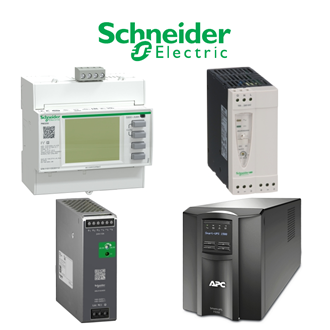
Use the exact PM5500 marking when enquiring about this PowerLogic PM5500 meter-family reference. The category picture is a shared reference image, not a photograph proving the precise PM5500 configuration. The decision points below separate confirmed data from checks that remain site-specific.
Technical data to verify first
| Technical item | Verified value / selection note |
|---|---|
| Complete designation | PM5500 |
| Product identification | PowerLogic PM5500 meter-family reference |
| Reference level | Family designation, not a complete commercial SKU |
| Function | Power and energy monitoring |
| Exact variant | Confirm PM55xx / METSE reference on nameplate |
Decision sequence
First confirm PM5500 on the procurement record. Next compare its electrical or mechanical interfaces with the installed equipment. Finally obtain engineering approval of PM5500 for the actual operating duty.
Do not transfer variant-specific I/O or communication ratings to an unidentified PM5500. Treat a visually close code as a separate configuration until the manufacturer documentation confirms it.
Installation and handover
The responsible engineer should isolate the equipment and follow the current instructions for PM5500. Record settings, wiring, dimensions, software revision, battery state, calibration or protection-test results as relevant to PowerLogic PM5500 meter-family reference. A commissioning note should explicitly identify the installed PM5500.
Store the PM5500 data sheet revision, site test report and accessory list with the asset file. This is especially important if a later repair request cites only PM5500 without the complete fitted assembly details.
Similar-looking catalogue codes
The 1 references below resemble the PM55 pattern and are indexed on this representative PM5500 page rather than receiving separate pages. This is a visual search grouping only: their ratings, functions and compatibility may differ from PM5500.
Procurement handoff
Place PM5500 in the request title and repeat PM5500 in the line-item description. Ask the supplier to confirm the exact reference, quantity, documentation and delivery condition. The purchasing record for PM5500 should preserve any approved deviations in writing.
Additional PM5 visually similar references
The following printed designations are indexed together because their first three characters look alike. They may identify different series, functions, ratings or accessories. This is a search index only, not a claim of interchangeability or a specification for every listed code. Confirm each full manufacturer designation before ordering or installation.
- PM5110
- PM5350P
