


Inspection dossier for Schneider C200/10/1/1/1/00 PacDrive C200 motion-controller configuration
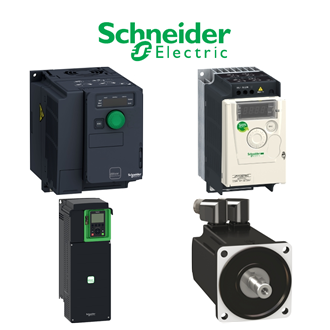
The full C200/10/1/1/1/00 designation is the anchor for this PacDrive C200 motion-controller configuration enquiry. The shared main image illustrates a Schneider-related category rather than the exact C200/10/1/1/1/00 unit. Use the physical nameplate and site drawing to settle the identity before comparing offers.
Documented technical record
| Technical item | Verified value / selection note |
|---|---|
| Complete designation | C200/10/1/1/1/00 |
| Identified item | PacDrive C200 motion-controller configuration |
| Platform | PacDrive M |
| Suffix | Confirm complete installed designation |
| Unconfirmed details | Obtain original unit label, revision and application drawing |
Only the documented facts above are stated for C200/10/1/1/1/00. A family description, shortened code or supplier photograph cannot establish every rating and option. Record missing C200/10/1/1/1/00 data as an open item rather than assuming a standard variant.
1. Identify the installed item
Photograph the front label, side markings, terminals and accessories of C200/10/1/1/1/00. Capture the assembly location, serial or revision where present, and the surrounding equipment. If the site refers to C200/10/1/1/1/00 by a short name, check that it matches the complete supplier reference.
Trace C200/10/1/1/1/00 in the electrical or control drawing and write down its actual job. For a switch or breaker, inspect the circuit and protection arrangement; for a drive or control board, check rack, firmware and cables; for a sensor or actuator, check signal, mechanical fit and process conditions.
2. Compare the proposed supply
Full code, revision, origin and condition.
Terminals, connectors, dimensions and mounting.
Inspection, documented test and warranty scope.
Request a quotation explicitly naming C200/10/1/1/1/00, not simply a visually similar item. Compare the offer to the installed C200/10/1/1/1/00 with regard to ratings, environmental limits, connector coding and any required certificate. A substitute needs a separate written engineering approval.
The availability and lifecycle status of C200/10/1/1/1/00 may differ by region and date. Ask whether the offered C200/10/1/1/1/00 is factory-new, surplus, repaired or refurbished, and whether traceability and return rights apply. These commercial details are part of a usable maintenance decision.
3. Receive and test
At goods receipt, match the delivered C200/10/1/1/1/00 label to the approved order, inspect packaging and verify all included connectors or accessories. A qualified technician should follow the site's isolation procedure before installing C200/10/1/1/1/00; the functional test must reflect the actual application.
Record test results, deviations and any replacement cross-reference next to C200/10/1/1/1/00 in the asset history. If a claim about C200/10/1/1/1/00 cannot be linked to a manufacturer document or the installed unit, keep it unresolved until the responsible engineer signs it off.
Other visually similar designations
A related code is a search reference only. It is not proof of identical manufacturer, function or interchangeability.
No further unassigned C200/-pattern code is grouped with C200/10/1/1/1/00 in this dossier. That does not establish uniqueness or an approved replacement for C200/10/1/1/1/00.
Enquiry release
Release the C200/10/1/1/1/00 purchase enquiry when the exact code, technical boundary, offer condition and acceptance plan agree. Retain the full C200/10/1/1/1/00 wording in the order and receiving record so that any later variation is visible.
