


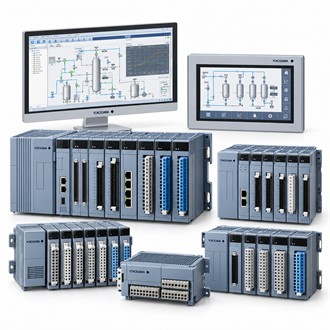
Application and system fit for Yokogawa V-NET VF701
Yokogawa V-NET VF701 is a V-NET/Vnet-IP control network interface component. This page puts the product identity and system checks first so the complete configuration can be compared with the installation. Use the exact code V-NET VF701 in the enquiry and verify it against current manufacturer documentation.
| Selection point | Specification / confirmation |
|---|---|
| Representative model | V-NET VF701 |
| Product role | V-NET/Vnet-IP network interface component |
| System | Confirm network generation |
| Selection | Endpoints, topology and configuration |
| Verification | Network path and diagnostics |
Selection context
V-NET VF701 is listed as a Yokogawa V-net/Vnet-IP control network interface component. Establish the network generation, connected station and intended segment before selecting the interface. For Yokogawa V-NET VF701, include the endpoint equipment and topology in the enquiry because a network component must match the installed architecture. Keep the full Yokogawa V-NET VF701 designation attached to the equipment tag, system drawing and purchase documentation. This helps distinguish V-NET VF701 from a similarly named module or a package that includes additional hardware.
Installation review
After installation of VF701, verify station visibility, communication and expected diagnostics across the intended segment. Record the network address, endpoint and tested path, and confirm restoration of the approved topology. Keep this record with Yokogawa V-NET VF701 so the validated path is traceable during maintenance. Keep the full Yokogawa V-NET VF701 designation attached to the equipment tag, system drawing and purchase documentation. This helps distinguish V-NET VF701 from a similarly named module or a package that includes additional hardware.
Pre-order review
- Network generation and endpoint models
- Addressing, cabling and topology
- Redundancy and configuration settings
- Link/data test and diagnostic behavior
As-left evidence
Check the VF701 designation, supported network, physical interface, addressing and software requirements against current documentation. Review the network drawing, cable route, redundancy and cybersecurity controls. Confirm whether any patch leads or mounting accessories are included with Yokogawa V-NET VF701. Keep the full Yokogawa V-NET VF701 designation attached to the equipment tag, system drawing and purchase documentation. This helps distinguish V-NET VF701 from a similarly named module or a package that includes additional hardware.
Receiving and installation handover
For Yokogawa V-NET VF701, provide the quantity, delivery requirement, complete order code, equipment tag and reason for purchase. Identify the associated station, sensor, converter, cable, terminal board or other connected equipment, as applicable. State which accessories and technical documents must be included. Compare the offered V-NET VF701 configuration with the approved requirement before releasing the order, and clarify any proposed substitute or deviation in writing.
Configuration record
At receiving inspection, verify Yokogawa V-NET VF701 against the order and nameplate, then check package contents and requested documentation. Before installation, confirm that the code matches the system drawing and the intended location. If a mismatch is found, pause the change and have it reviewed by the responsible engineer. Retain the supplied model, system revision, configuration, test evidence and restoration notes together so future support for V-NET VF701 can be based on the equipment actually installed.
Related model configurations
- VF702
