


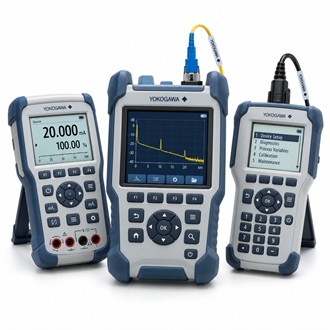
Field signal simulation and measurement with Yokogawa CA71
Yokogawa CA71 is a portable multifunction electrical calibrator. This page summarizes the application, interfaces and checks that matter when sourcing or replacing the specified configuration. Start from the equipment nameplate and the installed drawings; a family name alone is not enough to establish compatibility for CA71.
| Selection point | Specification / confirmation |
|---|---|
| Representative model | CA71 |
| Instrument role | Portable electrical signal source/measurement device |
| Functions | Verify voltage, current, resistance, temperature and pulse functions for this build |
| Use | Field instrument checks and loop testing |
| Order review | Exact function set, leads and calibration documents |
Selection context
CA71 is listed as a portable Yokogawa electrical or instrument test device. The exact function set should be confirmed from the instrument label and product documentation before describing it as a calibrator for a particular signal. For CA71, define whether the job requires sourcing, measuring or simulating a signal and identify the target instrument and expected test range. The exact Yokogawa CA71 configuration should be confirmed against the nameplate and approved application documents.
What must match the installation
A recorded test using CA71 should include the function, range, connection points, reference standard and as-found/as-left readings where applicable. Inspect leads and instrument condition before use, and compare performance with the calibration requirements of the task. Retain the equipment identity and test setup with the resulting Yokogawa CA71 measurement record. The exact Yokogawa CA71 configuration should be confirmed against the nameplate and approved application documents.
Points to confirm before release
- Required source, measure or simulation functions
- Signal ranges and terminal/lead arrangement
- Calibration status and accessory package
- Safe test setup and recorded results
Verification and documentation
Check the CA71 functions, terminals, lead set, power condition and calibration status against the planned work. When testing a live process loop, use the approved isolation and test procedure and avoid applying a source signal to connected equipment unintentionally. Specify the required accessories and documentation for Yokogawa CA71 rather than assuming they are included in every package. The exact Yokogawa CA71 configuration should be confirmed against the nameplate and approved application documents.
Enquiry and supply scope
When requesting Yokogawa CA71, state the complete code, quantity, delivery requirement and whether the equipment is for a new installation or replacement. Include a readable nameplate and identify the documents, accessories and certificates required. Compare the offered CA71 code and package contents against the agreed scope before release.
Equipment identity at receiving
For Yokogawa CA71, use the installed equipment record to reconcile the ordered code, location, system revision and accessories at goods receipt. Confirm that the delivered CA71 matches the enquiry and that any manuals, configuration files or calibration records requested are included. Before installation, compare the nameplate with the approved drawings and notify the responsible engineer if the delivered configuration differs. Retaining this check with the maintenance record makes later support and spare identification for CA71 more reliable.
