


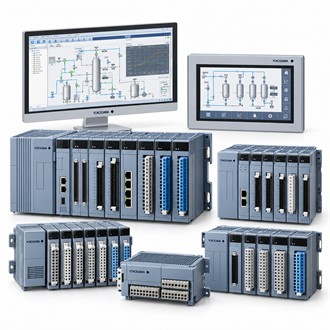
Digital-signal termination and cabinet checks for Yokogawa AED5D-05
The complete code AED5D-05 is the starting point for selecting Yokogawa AED5D-05. Identify the application, connected equipment and supply boundary before comparing alternatives. The specifications below provide a concise view of AED5D-05; verify every interface against the exact installation.
| Selection point | Specification / confirmation |
|---|---|
| Representative model | AED5D-05 |
| Product | Digital I/O terminal board |
| Use | Cabinet termination/interface |
| Compatibility | Confirm matching I/O module and cable |
| Review | Terminal map and wiring design |
System fit and configuration
Verify the AED5D-05 terminal layout, connector style, module compatibility and cable route against the installed cabinet. Confirm the field wiring, common connections, shield treatment and any external circuit power from the site design. A terminal board does not establish the logic state or prove that the field device is correct; keep those functions distinct when ordering Yokogawa AED5D-05. The complete Yokogawa AED5D-05 identity should remain visible in the equipment file and purchase enquiry so the offered configuration can be reconciled with the approved application.
Application information to confirm
AED5D-05 is identified as a digital I/O terminal board. It is a cabinet-interface component and must be matched with the associated module, wiring and station architecture. For Yokogawa AED5D-05, begin with the approved cabinet drawings and the point schedule so the terminal board is associated with the correct field signals and hardware revision. The complete Yokogawa AED5D-05 identity should remain visible in the equipment file and purchase enquiry so the offered configuration can be reconciled with the approved application.
Selection points
- Associated I/O module and cabinet revision
- Terminal assignment and field cable
- Commoning, shield and grounding arrangement
- Continuity and point-to-channel verification
Commissioning and maintenance handover
After installation, check the terminal-to-channel map, conductor identification and continuity under the approved work process. Confirm representative field states at the system interface and update the cabinet documentation. Retain the installed revision and wiring record with Yokogawa AED5D-05 for later maintenance. The complete Yokogawa AED5D-05 identity should remain visible in the equipment file and purchase enquiry so the offered configuration can be reconciled with the approved application.
Procurement details
For a quotation on AED5D-05, provide the quantity, required delivery date, equipment tag, full suffix and whether the request is for a new installation or replacement. Identify the associated sensor, converter, cable, terminal unit or other interfaces where relevant. State the documents, calibration records and accessories expected with delivery. Before releasing Yokogawa AED5D-05 for installation, check the supplied nameplate and package contents against the agreed scope.
Equipment record
At receipt, match Yokogawa AED5D-05 to the enquiry, approved drawings and installation location. Keep the product code, system revision, related equipment and acceptance checks together. If the delivered AED5D-05 differs from the specified configuration, pause installation and have the deviation reviewed by the responsible engineer. This simple handover keeps spare identification and future maintenance for Yokogawa AED5D-05 tied to the equipment that was actually supplied.
