


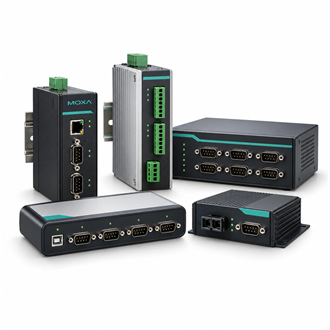
Bringing four RS-422/485 endpoints onto Ethernet with Moxa 5430
| Serial interfaces | 4 × RS-422/485 |
|---|---|
| Product model | 5430 |
| Ethernet | 1 × 10/100BaseT(X) RJ45 |
| Management | Web console, Windows utility and Telnet console |
| Integration | Select Real COM or socket mode for the application |
| Migration record | Port map, serial settings, IP and host mapping |
| Variant check | Confirm whether an isolated “I” model is required |
Build a port map
Moxa NPort 5430 connects four RS-422/485 serial endpoints to an Ethernet network. It is useful to evaluate when meters, controllers or instruments must remain in place but need to be reached by a networked host. In this arrangement, the 5430 provides the network-facing access path; the application design determines whether communication is presented through a Real COM driver or a socket-based method.
Draw the route from each endpoint to the 5430 before installation. Record port assignment, two-wire or four-wire mode, signal polarity, reference conductor and termination. On the network side, note the switch port, VLAN, address plan and approved client hosts. This port map makes it easier to distinguish wiring faults from IP reachability or application timeout issues.
Migrate without losing settings
The NPort 5430 provides four RS-422/485 ports and one 10/100BaseT(X) RJ45 interface. Before replacing another server, capture baud rate, parity, flow control, serial framing, IP address, port mode and host-side COM mapping. Confirm the required driver for the target operating system and verify firewall rules if the application uses TCP or UDP sockets.
Bring up one known-good device first. Confirm local serial replies, then verify access from the intended application host through the 5430. Expand to the other ports only after the first channel is stable. If several devices share a multidrop RS-485 segment, check node addresses, bus loading, termination and biasing; a new 5430 cannot repair a miswired or overloaded field bus.
Handover and variant selection
At handover, label each 5430 port at both ends and save the tested configuration with the installation record. Observe error counters and application response under normal traffic, not only during an idle ping test. Document what should happen when a device is offline so that support teams can distinguish an expected timeout from a failed Ethernet path.
The related 5430I code is a distinct variant and should not be treated as identical to 5430. If isolation is needed, verify the exact suffix and the electrical interface against the connected devices. Include the complete model code, supply requirements, serial standard, cable termination and intended host connection method on the purchase request.
Related model references
- 5430I
- NPORT 5430I
