


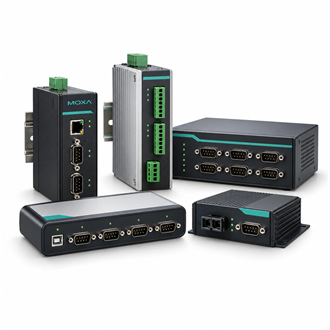
Moxa — Connecting a service laptop to serial equipment with the 1150I USB-to-Serial Converter
| Product role | One-port USB-to-serial converter |
|---|---|
| Product model | 1150I |
| Serial standards | RS-232 / RS-422 / RS-485 |
| USB connection | USB Type B; USB 2.0 compatible |
| Serial rate | Up to 921.6 kbps |
| Isolation | 2 kV optical isolation protection |
| Order checks | Host OS, cable, adapter, driver and serial wiring |
Interface fit
Moxa 1150I addresses a common service gap: a modern computer provides USB while a controller, meter or instrument still requires a serial interface. The 1150I offers one port for RS-232, RS-422 or RS-485 equipment. For an exact 1150I quotation, confirm that the host, driver, cable and field-device interface fit together rather than selecting by connector appearance alone.
The published 1150I interface uses USB Type B on the host side and a DB9 male serial connector. Its supported serial standards cover RS-232, RS-422 and RS-485, with a maximum serial rate of 921.6 kbps. The 2 kV optical isolation specification is relevant when evaluating the 1150I for ground-potential differences, but it does not replace correct site bonding, cable routing or installation practice.
Commissioning sequence
Before connecting the 1150I, identify the endpoint pinout and determine whether it uses RS-232, two-wire RS-485 or four-wire RS-485. Record baud rate, parity, stop bits and flow control. If the equipment terminates on a field terminal block, check whether the included or separately sourced adapter is appropriate; if it uses DB9, confirm gender and pin mapping before ordering the cable.
Install the approved driver following the host procedure, then confirm that the operating system exposes a stable COM port. A successful USB enumeration does not prove the serial link: verify transmit and receive polarity, signal reference, termination and node addressing at the instrument. When communication fails, test the application settings and cable route before replacing a correctly configured 1150I.
Procurement and service notes
For a replacement request, provide the complete 1150I label, host operating system, target connector, serial standard, required cable length and expected operating rate. If the application relies on a particular COM-port number, include that requirement in commissioning notes. These details distinguish the 1150I from USB adapters limited to a single serial standard.
Keep one tested configuration record with the 1150I installation: driver version, COM-port mapping, wiring sketch and serial parameters. This reduces repeat setup work when a service laptop is changed. Where an older unit is being replaced, compare the exact part code and accessories instead of assuming that every UPort-shaped converter has the same isolation or interface capability.
Related model references
- UPORT 1150
- UPORT-1150
