


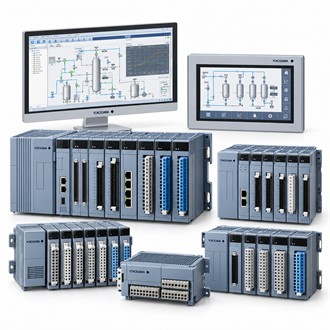
Connecting compatible field control equipment with Yokogawa ALE111-S50
Yokogawa ALE111-S50 provides communications between compatible field-control equipment and the planned Ethernet segment. The first decision is whether that role matches the installed architecture. For ALE111-S50, identify the associated equipment, control or measurement point, and the expected behavior during startup, normal operation and fault conditions.
Technical review
For ALE111-S50, focus on network role, supported control-system release, physical connection, redundancy needs and cabinet or field-control-unit installation. Review the manufacturer's limits alongside project requirements; the model-family description alone is not a guarantee that every option is present in this build. Preserve the complete ALE111-S50 identifier in quotations and technical submittals to avoid ambiguity.
Specification snapshot
| Selection point | Specification / confirmation |
|---|---|
| Representative model | ALE111-S50 |
| Module function | Ethernet communication module |
| Platform | Compatible CENTUM VP / field-control arrangements |
| Network | Check supported interface, topology and system configuration |
| Order review | Confirm module style, slot, cable and software requirements |
Engineering inputs
The application review should define network topology, addressing, link speed, managed-switch configuration, cybersecurity requirements and the scope of connected control traffic. These details help determine the proper range, signal interface, mounting method and supporting accessories for ALE111-S50. Where legacy equipment is involved, also check service availability and an approved migration path before promising interchangeability.
Acceptance checks
Use the checks in the table and verify the manufacturer interface specification, system version, module style, link budget, cable type and approved network design. After installation of ALE111-S50, test the actual field signal or control response, inspect alarms and communication status, and save the resulting parameters. after installation, verify link status, expected communication paths, diagnostics and recovery behavior without changing unrelated network devices.
Related model configurations
The following codes are related configurations for comparison. They are not asserted as direct equivalents.
- ALE111-S51
Model-code verification
For Yokogawa ALE111-S50, include the complete nameplate code, application, interface and operating conditions in the enquiry. Retain ALE111-S50 with the equipment record and verify the applicable specification before replacement or project release.
