


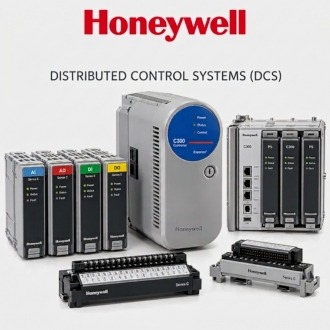
Collecting Control Station Evidence for Honeywell 900CR10-00
Treat Honeywell 900CR10-00 as one hardware identity inside a specific ControlEdge HC900 project context. Similar numbering alone does not establish compatibility.
| Brand | Honeywell |
|---|---|
| Normalized model | 900CR10-00 |
| Product context | 900 Control Station family reference requiring exact ordered suffix and configuration evidence |
| Website category | Honeywell / DCS |
| Enquiry basis | Exact label, hardware suffix, project version, configuration evidence, quantity and destination |
Custodian and date
Assign custody for configuration records associated with Honeywell 900CR10-00. Define the approved repository, access owner, retention rule, naming convention and change history. Prevent email attachments or technician laptops from becoming the only known copy. When files move between engineering, operations and a service provider, record the transfer and preserve one verified baseline under site control.
Full label record
Use 900CR10-00 as the complete normalized identity for Honeywell 900CR10-00. Copy every suffix from the physical label into the asset record, enquiry and change package. A nearby family code or shorter base number is not enough to identify hardware revision or ordered configuration. Keep repeated procurement lines separate while linking them to the same technical identity.
Control database context
Create an as-found baseline for Honeywell 900CR10-00 before changing hardware or project files. Record installed position, controller relationship, visible revision, current alarms or status, project identifier and the documents used. Capture configuration only through approved tools and procedures. The baseline should make later comparison possible without implying that the sales page contains the operating configuration.
Revision history
Place work involving Honeywell 900CR10-00 under formal change control. Describe the reason, exact scope, affected hardware and project, prerequisite backups, test plan and rollback route. Record approval before execution and retain as-left evidence after completion. Do not merge unrelated fixes into the same undocumented edit. This keeps the technical record aligned with the physical 900CR10-00 installation.
Test ownership
Retain witness evidence for recovery or commissioning involving Honeywell 900CR10-00: date, work order, personnel, project revision, test reference, observed result and unresolved limitations. A witness confirms the recorded activity, not every possible operating condition. Link the signed record to the asset and configuration archive so later troubleshooting can distinguish a verified outcome from an assumed successful download.
Record the outcome
Close the record for Honeywell 900CR10-00 by updating the asset register, installed hardware list, project archive index, change history and test links. Record whether 900CR10-00 was installed, retained, removed or returned. Assign ownership for open actions. This provides future procurement with reliable context while keeping operational configuration and sensitive files inside the site's controlled systems.
