


Hirschmann MSM20-M2M2M2M2SZ9HH9EXX.X.XX interface-module identification and fiber checks
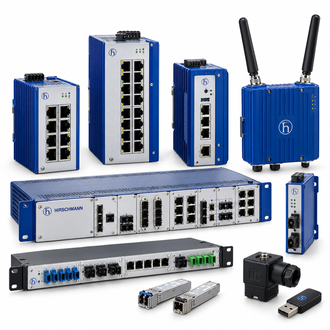
Hirschmann MSM20-M2M2M2M2SZ9HH9EXX.X.XX is listed as a MSP switch media module. The exact model text is preserved for enquiries and receiving checks. The shared category collage is a reference image and must not be read as a photograph of this specific configuration.
Key technical data
| Technical item | Verified value / selection note |
|---|---|
| Complete model / keyword | MSM20-M2M2M2M2SZ9HH9EXX.X.XX |
| Product class | MSP switch media module |
| Complete designation | MSM20-M2M2M2M2SZ9HH9EXX.X.XX |
| Module family | MSM20 media modules for MSP switches |
| M2 code | Multimode FX DSC interface in manufacturer coding guide |
| Physical ports | Four module positions encoded M2 |
| Revision suffix | XX.X.XX is a placeholder; confirm installed unit |
| Final selection rule | Confirm the printed label and manufacturer order record for the installed version |
Read the whole code
The repeated M2 positions in MSM20-M2M2M2M2SZ9HH9EXX.X.XX identify a multimode fiber media pattern in the manufacturer's coding guide. Confirm connector style, software revision and slot compatibility from the physical module.
Host dependency
An MSM20 media module is not a standalone switch. Record the MSP host type, its supported slots and the optical segment before ordering a spare.
Similar-looking model references
A code that resembles MSM20-M2M2M2M2SZ9HH9EXX.X.XX may identify another interface, software level, temperature class or revision. Similar-looking names are collected for search convenience only. Confirm the exact functional and physical fit from the manufacturer's documentation before treating any alternative as interchangeable.
Link restoration
Label every fiber pair and inspect connectors before changing the module. Following replacement, test optical receive status, link alarms and the traffic path for each populated port.
Order and acceptance checklist
For a quotation on MSM20-M2M2M2M2SZ9HH9EXX.X.XX, provide a clear photograph of the installed label, the required quantity and the connected equipment. Identify whether the supplied item must be new, tested used stock or an approved replacement. Ask the seller to state the full designation, condition, included accessories and return terms.
On receipt, compare the shipment with the MSM20-M2M2M2M2SZ9HH9EXX.X.XX purchase description. Before commissioning, document the prior state, verify the applicable electrical or optical connections and record the functional test result. Keep the manufacturer record and any approved deviation with the asset file.
